














Free News, Blog & Magazine WordPress Block Theme - Factify Lite
Designed for news publications and editorial teams.

Introducing Factify Lite
Factify Lite is a free WordPress block theme for news publications and editorial teams that value readable layouts, clear article presentation, and a focused identity for their reporting. Create a focused editorial presence that gives your reporting and stories a clear identity. Built with Full Site Editing (FSE) and Gutenverse, it gives you a visual starting point that you can adapt to your own brand.
Use Factify Lite to build on this visual direction. Plan your publication sections, introduce your editorial focus, and replace demo stories with original reporting. Use consistent article imagery, clear author information, and category names that help readers find the subjects they follow. Customize the typography, colors, imagery, and content in the WordPress block editor with Gutenverse, then replace the demo details with your own. This free theme works with the Gutenverse plugin; review the selected demo requirements before importing. The current theme requirements list WordPress 6.5 and Gutenverse 3.7.1.
Who This Theme Is For
Factify Lite is designed for news publications and editorial teams. Choose it to build an editorial identity around news and readable articles. This free Lite edition suits a focused first website built with Gutenverse; review its own demo content before choosing it over the PRO edition.
Pages and Layouts
Factify Lite provides a free Lite theme starting point to build an editorial identity around news and readable articles. Shape the available design around a clear opening message, the information your visitors need most, and a useful next step. Use your own images and concise sections to introduce your organisation, explain your offering, and give each part of the page a clear purpose. Adapt the structure to the content you have, keeping related information together and your visual identity consistent throughout. Supporting layouts help you organise information for different visitor needs. Give each additional page a clear role, such as explaining your background, presenting useful information, or helping visitors contact you. Keep headings, navigation, and calls to action consistent so visitors can move through the website comfortably. Customise the available Lite design with the free Gutenverse plugin, and check the layouts included in this edition before planning additional pages or choosing a PRO upgrade.
Things to Know
 Things to Know
A quick overview of the demo content, requirements, customization options, and other details to help you get the most from your setup.
What’s Included in the Import?


A complete import package for Factify Lite could not be verified. Use the live preview as a design reference and check the content offered by the theme’s importer before starting; a full set of demo images, text, menus and site settings is not confirmed. For the design overview, see Pages and Layouts. Menu and site-setting imports have not been confirmed for this edition. Confirm which settings the importer offers, then configure your logo, contact details and connected services.
Requirements & License
Use Factify Lite with WordPress and activate Gutenverse, Gutenverse Form and Gutenverse News. The included Lite design can be used with the free Gutenverse plugins; premium templates and PRO controls require a separate upgrade. See Theme Information for the version requirements and, where applicable, eligible plans. Gutenverse Form provides the form blocks used by this design.
Editing & Customisation
Edit Factify Lite’s site templates and shared header/footer through Appearance → Editor. Edit the imported page content in the WordPress block editor, then select individual Gutenverse blocks to change their text, imagery, spacing and responsive settings. Replace the demo links and branding with your own and check the layout with your actual text and images. Use the controls available in this Lite edition; any premium blocks you add later need their corresponding plugin and access.
Is Factify Lite Right for Your Website?
Before choosing Factify Lite, compare the preview with your own text lengths, image proportions and main call to action. Pay particular attention to its publication branding and reporting content layouts when deciding whether to preserve the demo’s visual emphasis or adapt the structure to your content. Plan how your own categories, article volume and featured images will populate the design. Newsletter delivery, advertising networks and paid subscriptions need separate service connections. Choose the Lite edition for its included design scope; check the PRO preview separately if you need additional premium layouts or controls.
Key Features
- News publication and editorial presentation
- Readable article-focused design direction
- Publication branding and reporting content layouts
- Free Lite design editable with Gutenverse blocks

Global Features
Bring your website to life with visual WordPress block editor, flexible layouts, and design controls that help you make it your own.
- Visual WordPress Block EditingBuild and edit pages with Gutenverse blocks in the WordPress editor. See your changes as you shape your website.
- Responsive Layout ControlsFine-tune layouts for desktop, tablet, and mobile to keep your content clear and easy to explore across screen sizes.
- Make It Your BrandPersonalise colours, typography, backgrounds, and spacing to create a consistent look that reflects your business or creative style.
- Easy Template ImportStart with a prebuilt website design, import the available template content, then personalise the text, images, and styling to make it your own. Template availability depends on your theme and plan.
- Flexible Blocks and SectionsCombine and rearrange blocks to present your services, showcase your work, and build pages around the content your visitors need.
- Room to Grow with PROExtend your website with Gutenverse PRO for advanced design controls, dynamic content, and more powerful forms and popup options.
How To Use This Theme
Start building with Factify Lite and the free Gutenverse plugin. Follow the steps below to install the theme and customise the available design. PRO designs and features are optional upgrades.
- Use the Download button to get Factify Lite from its available download page. If the theme is listed in the WordPress theme directory, you can also find it under Appearance → Themes → Add New.
- Install and activate the theme. For a downloaded ZIP, go to Appearance → Themes → Add New → Upload Theme, upload the ZIP, and activate it.
- Install and activate the free Gutenverse plugin and any additional plugins recommended by this theme. Gutenverse PRO is only needed if you choose a PRO demo or feature.
- Open the demo importer or template library provided by the theme and Gutenverse. Find the available design for Factify Lite and review its required plugins before importing.
- If demo import is available, install the plugins listed for that demo, choose the content and settings you need, and start the import. Keep the window open until it finishes. You can also build pages directly with blocks.
- Open Appearance → Editor to customise the site templates, navigation, and styles available in your theme. Edit individual pages under Pages, then replace the sample text, images, and logo with your own.
- Set your homepage and menus, check links and forms, and preview the website on desktop, tablet, and mobile before publishing your changes.
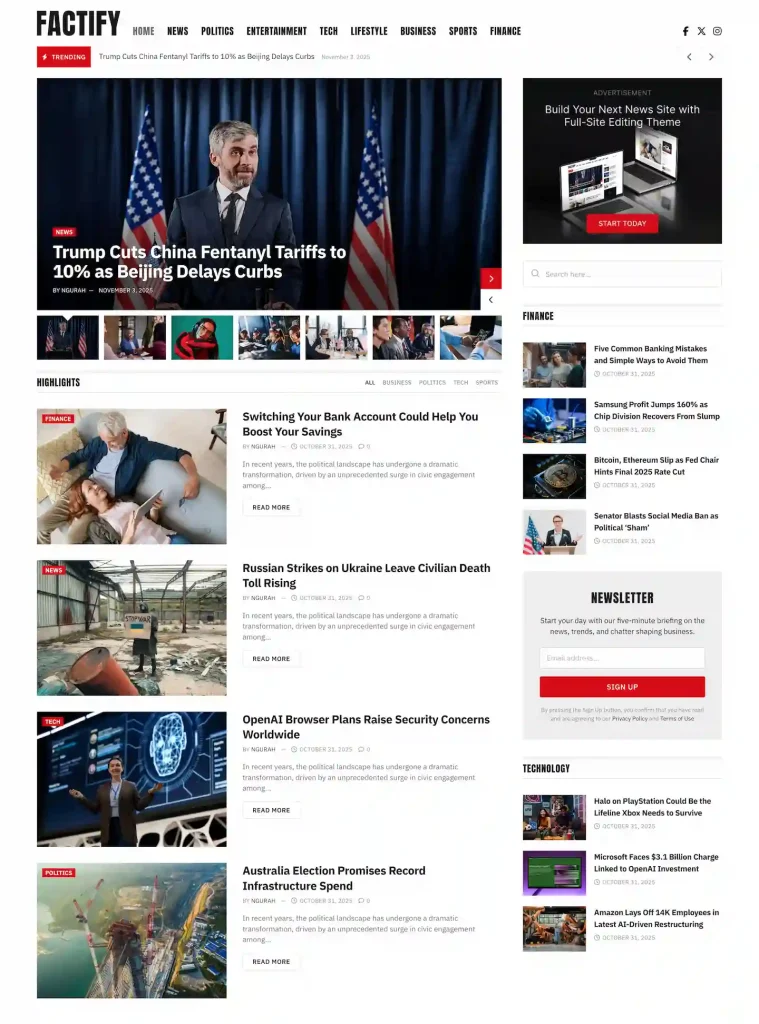


Factify PRO is a WordPress block theme for news publications and editorial teams that value readable layouts, clear article presentation, and a focused identity for…
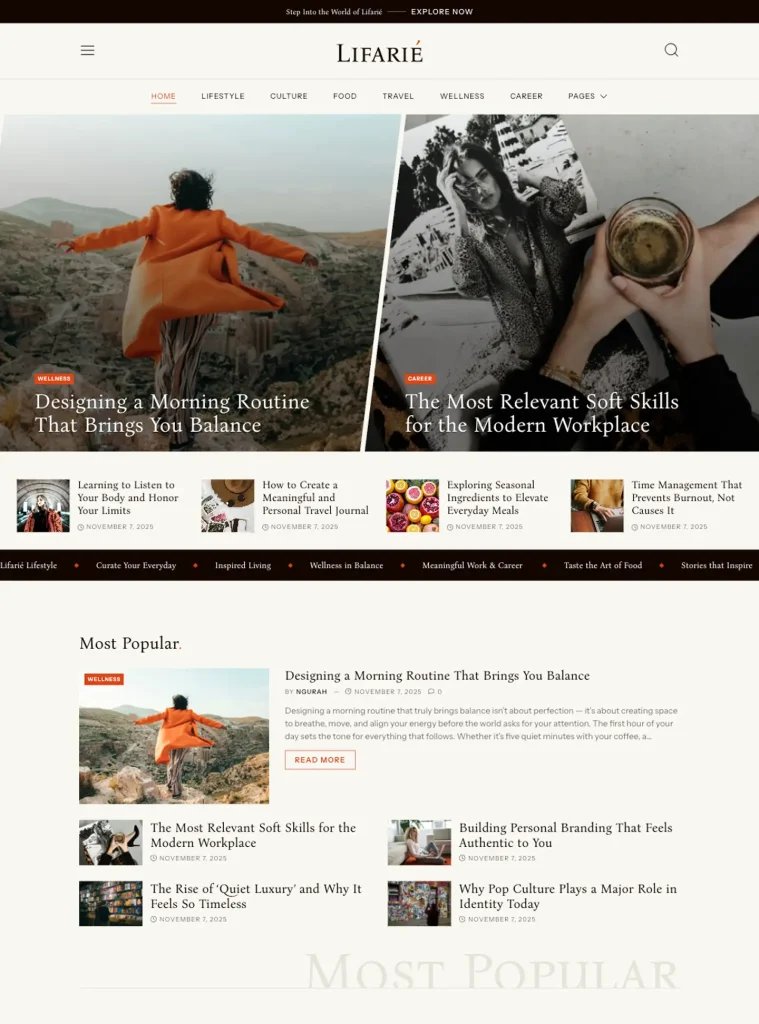
Lifarie PRO is a WordPress block theme for lifestyle magazines and editorial publications, with balanced typography and an elegant presentation for articles and visual stories.…
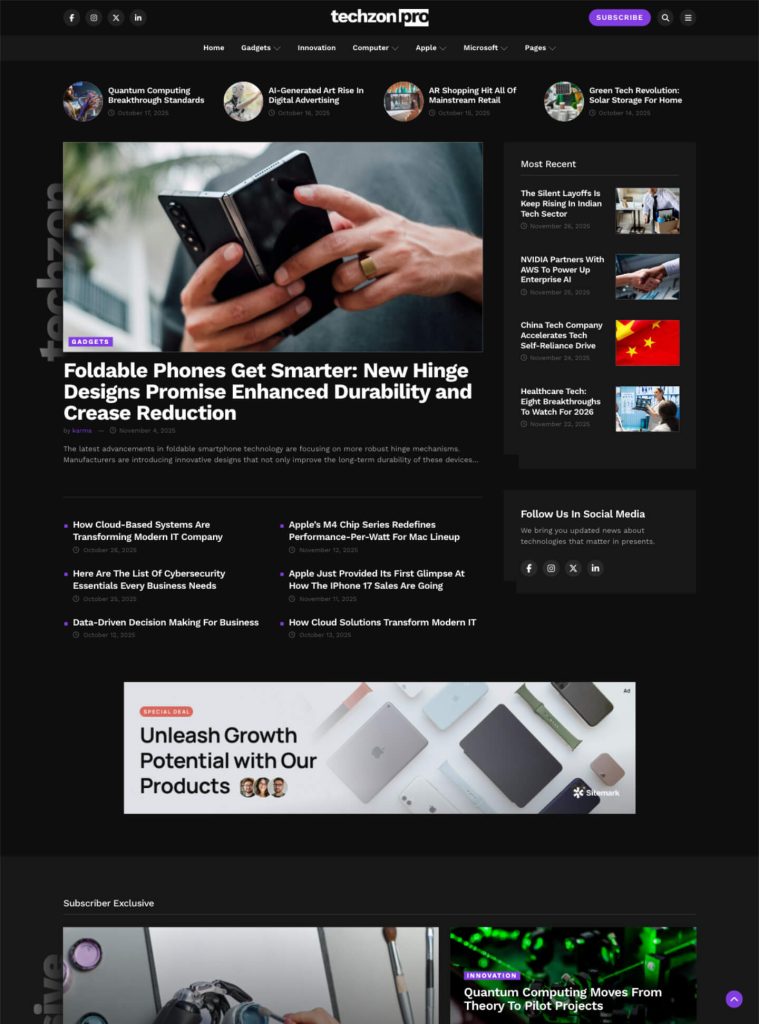
Techzon PRO is a WordPress block theme for technology news publications, with a headline-focused presentation that gives articles and editorial coverage a distinct identity. Give…